

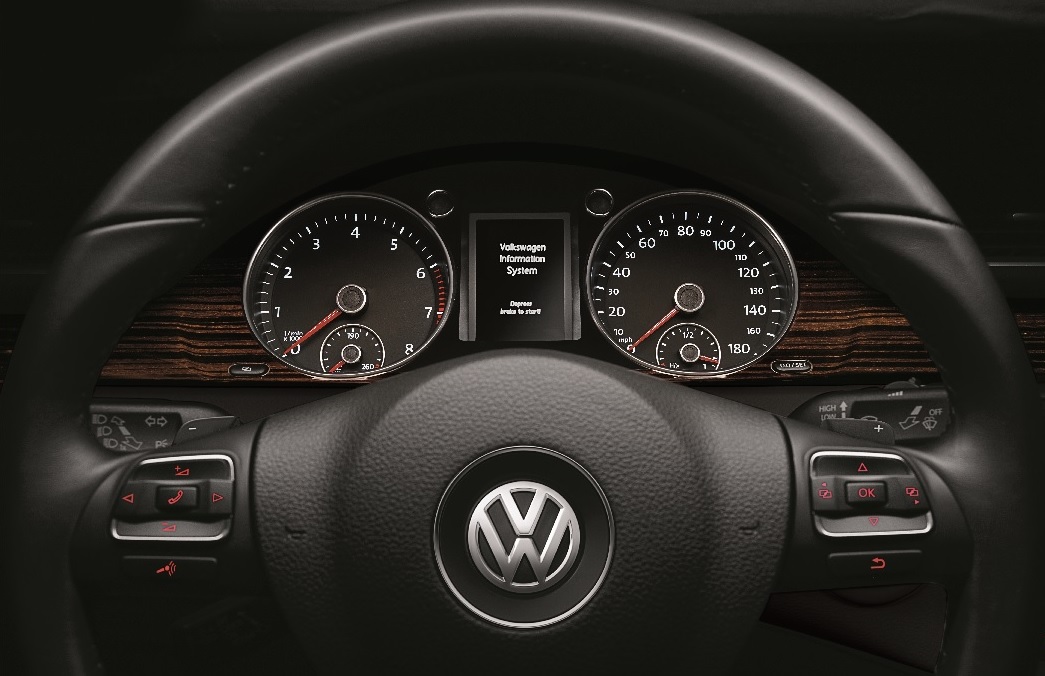
 Daylight Saving Time came to an end last week. If you are like most, one of the last lingering reminders of this time change is the incorrect time showing on the dash of your Volkswagen. Thanks to your user- friendly Volkswagen dealer in Baton Rouge, you don’t have to be the person who has to remember their clock is off by an hour for the next six months. Here is a quick tutorial on resetting your clock.

1) Find the menu/clock button on the instrument cluster (bottom left-hand corner). With the ignition on, push the button once to highlight the hour on the display.
2) To advance the hour, use the 0.0/set button (bottom right hand corner). Pressing the button once advances it 1 hour. Holding the button down will move it forward until the correct hour comes up again.
3) Push the menu/clock button again to highlight the minutes. If you need to change them, press and hold the 0.0/set button to fast forward until you get to the correct minute.
4) Push the menu/clock button one more time to complete the procedure.
You can also reset your clock by adjusting your settings in the MF5. In fact, that is where you would go to adjust between a 12 or 24-hour clock.
For more information, our volkswagen service department in Baton Rouge can be reached at 225-291-6000.
![[Facebook]](https://www.southpointvw.com/blogs/1057/wp-content/plugins/bookmarkify/facebook.png)
![[LinkedIn]](https://www.southpointvw.com/blogs/1057/wp-content/plugins/bookmarkify/linkedin.png)
![[Twitter]](https://www.southpointvw.com/blogs/1057/wp-content/plugins/bookmarkify/twitter.png)
![[Yahoo!]](https://www.southpointvw.com/blogs/1057/wp-content/plugins/bookmarkify/yahoo.png)
![[Email]](https://www.southpointvw.com/blogs/1057/wp-content/plugins/bookmarkify/email.png)
Connect with us
